Logging your TAMUCC clinicals in Typhon
TAMUCC asks FNP students to log every patient encounter in Typhon, and at the end of each semester a Clinical Hours Log goes through DocuSign for you, your preceptor and the FNP Clinical Coordinator to sign. The encounter record also proves your pediatrics, women's health and geriatrics minimums. This guide covers what to record, the pace TAMUCC expects and who checks the result.
Get your placement plan
Tell us your TAMUCC program and where you live. A placement advisor replies with the preceptor and site options that fit your TAMUCC course.
What TAMUCC asks you to record
Typhon Group's system is TAMUCC's clinical tracking tool for the MSN FNP, the Post-Master's FNP and the DNP, according to the CONHS Faculty and Staff Handbook. The FNP Student Clinical Guide places Typhon access before the start of clinicals and asks you to enter every patient encounter. Every one, not a sample: the log is the running record of your clinical education. Access belongs to the setup you finish before the first clinical day, alongside CastleBranch compliance.
Typhon does a second job at TAMUCC. It holds the Clinical Site Directory, where you look up past sites, preceptors and agreement dates, and that side has its own guide on the Typhon site directory. This page stays with logging: what goes in, how the numbers add up and what happens at the end of the term.
Encounters, hours and the two-an-hour pace
TAMUCC's population minimums can be met in hours or in encounters: 75 clinical hours, or 150 encounters documented in Typhon, for each of pediatrics, women's health and geriatrics. The guide expects about two patients an hour, which is why the two figures match. It also lets prior encounters count toward the dedicated rotation.
The encounter route is often the easier one to prove, because each logged patient is a dated record. It also exposes a thin placement quickly. If a few weeks of clinic yield few children or older adults, your totals will show the gap while there is still time in the semester to add a second site. The 630-hour breakdown shows where each population tends to build across the four courses.
Habits that keep your record clean
TAMUCC's guides set the rules. These habits keep you inside them from the first day to the last.
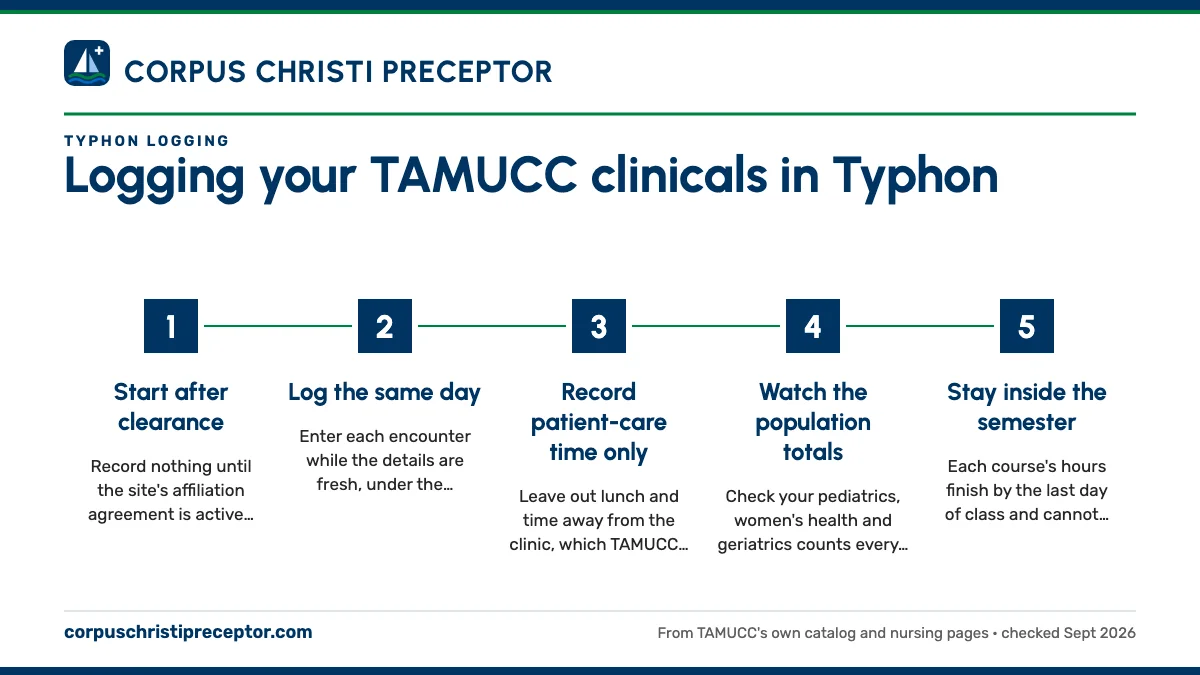
- Start after clearanceRecord nothing until the site's affiliation agreement is active, this semester's Preceptor Agreement Packet is complete and your clinical faculty member has cleared you. Time before that point is not accepted.
- Log the same dayEnter each encounter while the details are fresh, under the preceptor and site where it happened.
- Record patient-care time onlyLeave out lunch and time away from the clinic, which TAMUCC excludes from clinical hours.
- Watch the population totalsCheck your pediatrics, women's health and geriatrics counts every few weeks so a shortfall surfaces early.
- Stay inside the semesterEach course's hours finish by the last day of class and cannot move into the next term.
Under the FNP Preceptor Guide, your preceptor reviews and authenticates your documentation. The MSN and DNP handbooks treat falsified hours as a conduct violation, and for DNP students it is grounds for dismissal. Accurate, same-day entries are the simplest protection you have.
The Clinical Hours Log at the end of the term
When the course wraps up, a completed Clinical Hours Log goes through DocuSign with three signatures on it: yours, your preceptor's and the FNP Clinical Coordinator's. The signed log also generates your preceptor's hours certificate, which the Preceptor Guide ties to continuing education credit as the preceptor's certifying body allows. Since this log certifies the course's hours, compare its totals with your Typhon entries before you sign.
Three other DocuSign forms travel with it: your preceptor's evaluation of you, and your evaluations of the preceptor and of the clinical site. The details are in site visits and evaluations. Let your preceptor know these are coming, so a signature does not sit unopened in an inbox during the last week of class.
Who checks your Typhon record
Several TAMUCC roles touch your log. The Student Success Data Specialist administers Typhon and enters site and preceptor data into it, and the same role manages CastleBranch records, where an expired item would halt your clinical days. Your assigned clinical faculty member clears you to start, visits at least once and grades the clinical portion of the course. The FNP Clinical Coordinator is the main contact for preceptors and signs the hours log, and your preceptor authenticates what you document.
Because an unsatisfactory clinical grade fails the whole course, keeping the record accurate and current is part of doing the clinical well, not an afterthought. The clinical roles guide describes each of these titles in more detail. If something in your record looks wrong, sort it out with your clinical faculty member before the end-of-term signatures.
DNP and the other graduate programs
DNP students record practice hours in a clinical experience platform that requires a one-time account setup, and the DNP syllabi, including NURS 6331, name Typhon as that platform. The DNP Chair approves every practice experience and makes sure hours are documented on time, and hours brought in from an MSN count toward the 1,000 only up to 500. Alongside the hours, DNP students build a portfolio. See DNP practice hours.
For the Nurse Educator and Leadership in Nursing Systems tracks, TAMUCC's public documents do not name a tracking system for field hours. Your course syllabus and course faculty will say how hours in NURS 5459 or NURS 5469 are recorded, and both capstones set the same deadline: hours finished before the last week of the semester.
How we set you up for a strong log
A clean log starts with the right placement. Your placement advisor looks for Texas preceptors with the patient volume to keep you near TAMUCC's two-an-hour pace and a panel that includes the populations you still need, so encounters accumulate as you work rather than in a scramble at the end.
We make sure each preceptor knows what TAMUCC will ask of them: reviewing your documentation, signing the Clinical Hours Log and completing the end-of-semester evaluations. And we have the paperwork details ready early, so the agreement and packet clear before your first clinic day and logging can start on schedule. When a preceptor has to leave mid-term, your placement advisor finds the next one and gathers what the new packet needs, so logging resumes quickly. See how it works.
Questions TAMUCC students ask
When do TAMUCC students get Typhon access?
Before clinicals start. The FNP Student Clinical Guide lists Typhon access as a step ahead of your first clinical day, and TAMUCC's Student Success Data Specialist administers the system. If your first clinical term is close and you still have no access, raise it with your course faculty right away.
How many patients an hour does TAMUCC expect FNP students to see?
About two. TAMUCC's FNP guide uses that pace, and it is why 75 hours in a population and 150 documented encounters are treated as equal routes to the pediatrics, women's health and geriatrics minimums. A slower clinic still produces hours, just fewer encounters toward those three populations.
Who signs the TAMUCC Clinical Hours Log?
You, your preceptor and the FNP Clinical Coordinator. The log goes out through DocuSign at the end of the semester, alongside the preceptor's evaluation of you and your evaluations of the preceptor and the site. Once signed, it also produces the hours certificate your preceptor receives.
Can I enter Typhon hours from before my packet was signed?
Those hours do not count. TAMUCC requires an active affiliation agreement and a completed preceptor packet for each site and each preceptor before precepted hours can be earned, and anything accumulated earlier is excluded. Entering those days anyway would misstate your record, which the handbooks treat as a conduct violation.
What do TAMUCC preceptors receive for signing the hours log?
A certificate of hours generated when the log is verified at the end of the semester, which can support continuing education credit depending on the preceptor's certifying body. TAMUCC also offers letters of appreciation and university awards for outstanding service. Preceptors volunteer their time; see precepting a TAMUCC student.
Related pages
Last checked 2026-09-26
We check these pages against TAMUCC's catalog, FNP clinical guides, MSN and DNP handbooks and college pages. Your course, your clinical faculty member and the handbook for your cohort have the final word.
TAMUCC makes the preceptor search yours. Let us run it for you in Texas.
Tell us your TAMUCC program, your next clinical course and where in Texas you can drive. We find preceptors who fit the course and gather what the affiliation agreement and the Preceptor Agreement Packet need, early enough for both to clear.
- Preceptors matched to the course: pediatrics for
NURS 5644, women's health forNURS 5645, broad primary care forNURS 5746 - CV, license, board certification and the site's agreement status ready for TAMUCC's paperwork
- In Corpus Christi, the Valley, San Antonio, Houston, Austin, Dallas-Fort Worth and across Texas
Start your placement plan
Your program, city and next clinical semester is all we need to begin.