TAMUCC's student systems, by their own names
A TAMUCC nursing student works across two sets of systems. The university set, IslandID, SAIL, Islander Email and Canvas, handles registration, email and coursework for every Islander. The clinical set, CastleBranch, Typhon and DocuSign, handles compliance, placements and agreements for the College of Nursing and Health Sciences. This guide maps both so you know where each task lives.
Get your placement plan
Tell us your TAMUCC program and where you live. A placement advisor replies with the preceptor and site options that fit your TAMUCC course.
The map: which system does what
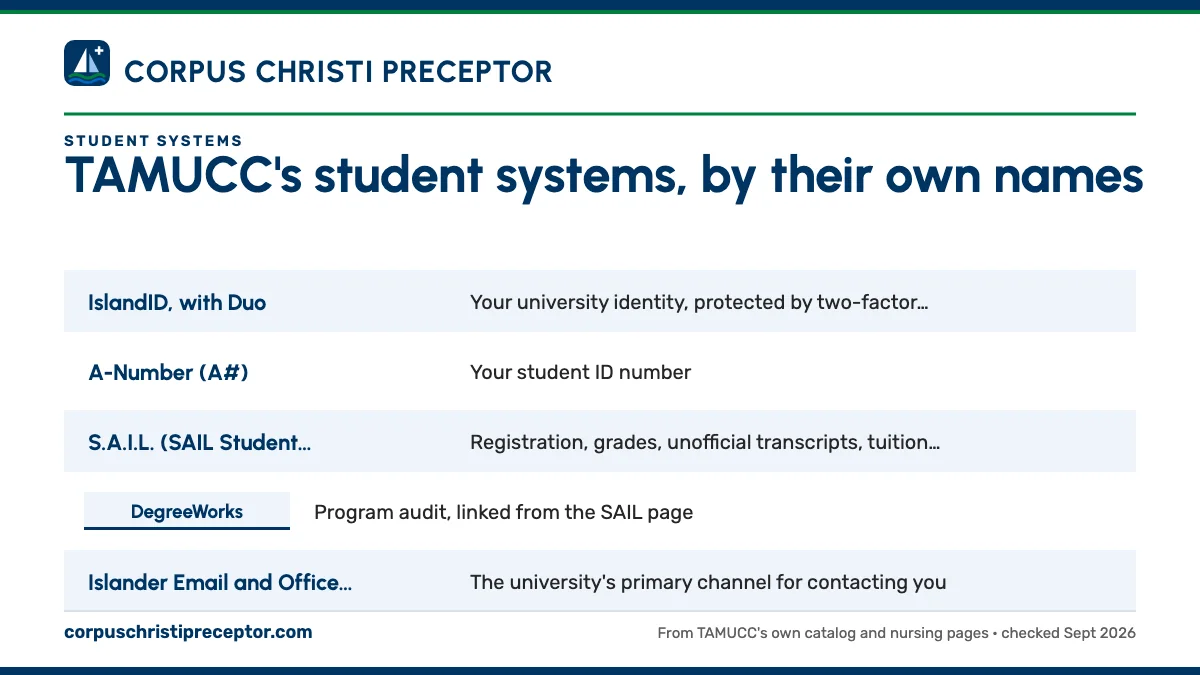
Start with this table, then read the sections below for the details that matter to a nursing student. Every name here is the one TAMUCC itself uses.
| System | What you use it for | Set |
|---|---|---|
| IslandID, with Duo | Your university identity, protected by two-factor authentication | University |
| A-Number (A#) | Your student ID number | University |
| S.A.I.L. (SAIL Student Portal) | Registration, grades, unofficial transcripts, tuition, financial aid, parking and transcript requests | University |
| DegreeWorks | Program audit, linked from the SAIL page | University |
| Islander Email and Office 365 | The university's primary channel for contacting you | University |
| Canvas | Courses, plus the upload of your signed preceptor packet | University |
| Starfish, Zoom, LinkedIn Learning | Early alerts and your Success Network, video meetings, skills training | University |
| Degree Planner | Your individual plan of study | College of Nursing and Health Sciences |
| CastleBranch | Background check, drug test and compliance documents | College of Nursing and Health Sciences |
| Typhon | The Clinical Site Directory and your patient encounter logs | College of Nursing and Health Sciences |
| DocuSign | Affiliation agreement requests, the Preceptor Agreement Packet and end-of-semester forms | College of Nursing and Health Sciences |
IslandID, your A-Number and Islander Email
Your TAMUCC accounts begin with your IslandID, the university identity you claim at MyIslandID.tamucc.edu, and Duo adds two-factor authentication on top. Your student ID is a separate number, the A-Number, written A# on TAMUCC's pages. Keep both close at hand in your first weeks; you will type the A-Number into more forms than you expect, and the IslandID is the key to nearly every university system on this page.
Islander Email is your address at islander.tamucc.edu, built from your IslandID. TAMUCC calls it the primary way the university will contact you, so during clinical semesters check it as closely as your work inbox. Your email and Office 365 stay active for 365 days after your last date of attendance, which gives you a year after finishing to save signed clinical forms, logs and course files you may want later.
SAIL, DegreeWorks and the Degree Planner
S.A.I.L., the SAIL Student Portal at sail.tamucc.edu, is where the administrative side of each term happens. You register for courses, see grades and unofficial transcripts, pay tuition, accept financial aid, buy parking and request official transcripts there. DegreeWorks, TAMUCC's program audit tool, is linked from the SAIL page.
Registration timing matters more in nursing than in most programs. The MSN handbook states that each course runs once per calendar year, and skipping or withdrawing from a term can delay graduation, with re-entry depending on space. For Fall 2026, the last day to add a 16-week course is August 31 and census day is September 9; the academic calendar guide has every term's dates.
Your own plan of study lives in the Degree Planner, which the MSN and DNP handbooks both reference. TAMUCC does not publish that plan, so the semester-by-semester order of your courses comes from your Degree Planner and your Graduate Nursing Academic Advisor rather than from any public page.
Canvas and the online classroom
Canvas, at canvas.tamucc.edu, is the official learning management system for TAMU-CC. Course access opens the week before classes begin, and Canvas offers support around the clock through the Help menu inside the platform. The FNP catalog says the lecture parts of courses are delivered through online technology, and Canvas is where that happens.
Canvas has a clinical job too. Under the FNP Student Clinical Guide, once your preceptor has signed the Preceptor Agreement Packet in DocuSign, you upload the signed packet into Canvas, where your clinical instructor checks it. That upload is one of the steps between a willing preceptor and your first counted hour; the Preceptor Agreement Packet guide covers it in full.
Other university tools sit around Canvas. Starfish handles early alerts and your Success Network, Zoom runs through tamucc.zoom.us, Office 365 and LinkedIn Learning are open to students, and some courses use online proctoring for exams.
The clinical systems: CastleBranch, Typhon and DocuSign
Besides Canvas, the FNP guide names three platforms for the clinical side of CONHS. CastleBranch is the compliance tracker every CONHS student purchases, where your background check, drug test results and health records live, and it is brought current every semester. The CastleBranch guide covers it.
Typhon does two jobs. Its Clinical Site Directory tells you if TAMUCC holds an active affiliation agreement with a site, with contract start and expiration dates, and it doubles as a search tool for sites and preceptors that past TAMUCC students used. It is also where you log every patient encounter. The Typhon site directory guide explains how to read it, and TAMUCC's DNP syllabi identify Typhon as the DNP's clinical experience platform as well.
DocuSign carries the agreements. You start a new affiliation agreement through the Initiate Affiliation Agreement form (TAMUCC's guide says to allow up to three months). The Preceptor Agreement Packet goes to administration first and reaches your preceptor a business day or two later, and the end-of-semester Clinical Hours Log and evaluations are DocuSign forms too. Complio and MyClinicalExchange appear only in a 2023 faculty handbook list of systems the college's data staff manage, with no program named.
Library, simulation center and IT help
The Mary and Jeff Bell Library offers databases A to Z, research guides by subject, an Off-Campus Users page, interlibrary loan, course reserves and technology lending. For evidence-based practice papers and DNP projects written from home, the Off-Campus Users page is the place to start.
On the Island campus, Island Hall's second floor houses the Simulation and Clinical Learning Center, which takes open-lab requests through a request link and lends equipment such as blood pressure cuffs and otoscopes for two weeks at a time. Its Primary Care Simulation Lab, the Islander Regional Care Clinic, includes telehealth technology, the lab closest to an NP student's future practice.
For technical problems with your IslandID, email or other university systems, the IT Service Desk takes tickets at serviceportal.tamucc.edu. Canvas questions can also go through Canvas's own round-the-clock support.
Where our service connects to these systems
TAMUCC's systems record what is required; our service delivers the preceptor. We search Texas for a preceptor and site suited to your TAMUCC course. Once there is a match, you confirm the site's agreement dates in Typhon's Clinical Site Directory, and we prepare what the DocuSign steps need: the site's agreement status and signer for an Initiate Affiliation Agreement request, and the preceptor's CV, proof of board certification and a current license copy (TAMUCC wants one from the last 30 days) for the Preceptor Agreement Packet.
Your clinical faculty member reviews the finished file and clears you to start, and we make sure it arrives complete. Everything we prepare uses TAMUCC's own form names and document rules, so nothing needs reworking before it reaches your faculty. Here is how our service runs; to begin, enter your course, term and city in the form below.
Questions TAMUCC students ask
What is the difference between SAIL and Canvas at TAMUCC?
SAIL is the administrative portal: registration, grades, transcripts, tuition, financial aid and parking. Canvas is the learning management system where your courses run, where you submit coursework and where FNP students upload the signed Preceptor Agreement Packet for their clinical instructor. Expect to open SAIL a few times a term and Canvas nearly every week.
Which system do TAMUCC FNP students use to log clinical hours?
Typhon. The FNP Student Clinical Guide asks you to log every patient encounter there, and at the end of the semester the Clinical Hours Log is signed in DocuSign by you, your preceptor and the FNP Clinical Coordinator. The Typhon case logs guide explains what to record and how TAMUCC reviews the logs.
Who do I contact about a Typhon or CastleBranch problem?
The college's Student Success Data Specialist administers both systems for CONHS, entering site and preceptor records in Typhon and managing compliance data. For university-wide technical issues, such as your IslandID or Canvas access, open a ticket with the IT Service Desk. The clinical roles guide lists which title handles each clinical question.
Does TAMUCC use Exxat or ACEMAPP for nursing placements?
Neither name appears in TAMUCC's published nursing documents. The FNP guide names CastleBranch, Typhon, DocuSign and Canvas as the tools for clinicals. A hospital you rotate at may run its own onboarding system, so follow the site's instructions for its requirements while keeping TAMUCC's records in TAMUCC's systems.
How long can I use my Islander Email after graduating?
TAMUCC keeps Islander Email and Office 365 active for 365 days after your last date of attendance. Use that year to save anything you may want later, such as signed clinical forms, hour logs, preceptor evaluations and course materials, and move important contacts to a personal address before the account closes.
Related pages
Last checked 2026-09-26
We check these pages against TAMUCC's catalog, FNP clinical guides, MSN and DNP handbooks and college pages. Your course, your clinical faculty member and the handbook for your cohort have the final word.
TAMUCC makes the preceptor search yours. Let us run it for you in Texas.
Tell us your TAMUCC program, your next clinical course and where in Texas you can drive. We find preceptors who fit the course and gather what the affiliation agreement and the Preceptor Agreement Packet need, early enough for both to clear.
- Preceptors matched to the course: pediatrics for
NURS 5644, women's health forNURS 5645, broad primary care forNURS 5746 - CV, license, board certification and the site's agreement status ready for TAMUCC's paperwork
- In Corpus Christi, the Valley, San Antonio, Houston, Austin, Dallas-Fort Worth and across Texas
Start your placement plan
Your program, city and next clinical semester is all we need to begin.